This flow was submitted before accounts existed, so nobody owns it yet. If you submitted it, open the edit link you were given — it still works — and you can attach the flow to an account from there. There is no deadline, and attaching it retires the link for good.
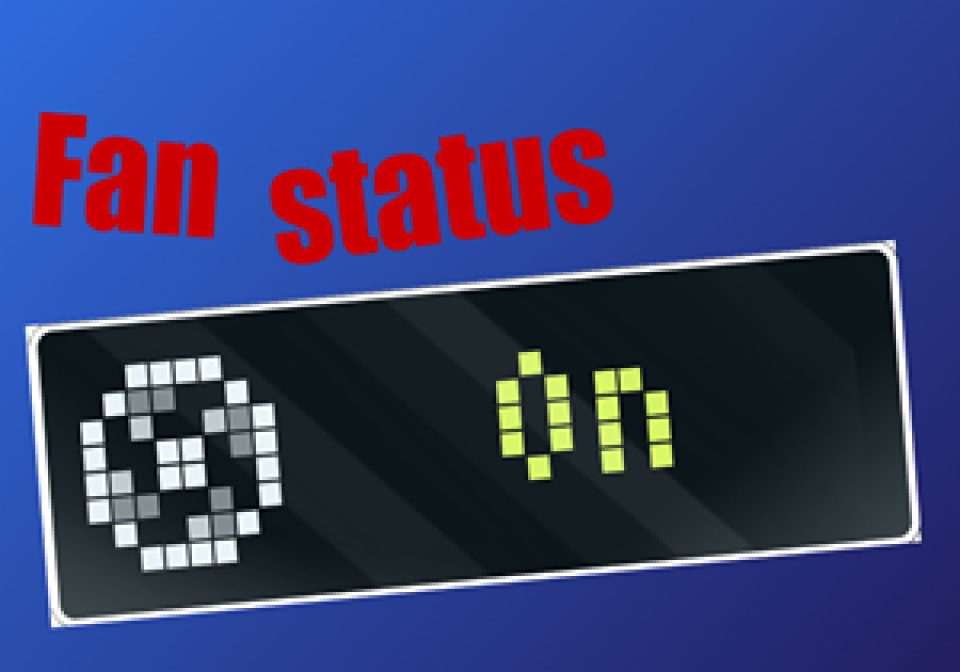
🏁 Purpose
Show the actual status of a fan (which is a present as a switch in Domoticz) on the AWTRIX3 clock, also showing a stopped fan or a rotating fan as the icon.
🔄 Activation and device selection
This Domoticz dzVents script is marked as active by active = true.
The name of the Domoticz device that should be monitored should be selected in the devices = { 'Bathroom fan' } section.
Also download the icons '7426' and '20121' on your AWTRIX3 clock. Those icons are also attached as asset on this flow.
⚙️ Script Logic
Every time when the status of the selected device changes, the state is determined and the rotating or not rotating icon is selected, which is then directly updated as a custom app (with the name 'Bathroom_fan' on the AWTRIX3 unit).
📝 Logging
- Logs are generated with the marker "AWTRIX_Bathroom_Fan" to identify entries related to this script.
- The logging level is set to
domoticz.LOG_INFO, ensuring that informational messages are captured.
🎚️ Flow adjustment
Any generic switch in Domoticz can be monitored on the same way. Just be sure to:
- Include the correct name of the Domoticz device in the
devices = { .... }section - Update the name of the
logging = { marker = "....." }line - Download a suitable 'on'-icon and 'off'-icon on the AWTRIX3 clock
- Use the corresponding icon numbers in the dzVents script
- If multiple dzVents scripts for the AWTRIX3 are present, update the
appData = { appname = "...." }name, to have an individual app page for every script
✂️ Required plugins and more information:
- Domoticz: www.domoticz.com
- Domoticz AWTRIX3 Plugin: GitHub - Domoticz-AWTRIX3-Plugin
pnKe573P5ZjM.json
return {
    -- The script is active
    active = true,

    -- Trigger section: when the device changes
    on = {
        devices = {
            'Bathroom fan'     -- Replace with the name of the device
        }
    },

    -- Custom logging level for this script
    logging = {
        level = domoticz.LOG_INFO,
        marker = "AWTRIX_Bathroom_Fan"
    },

    -- Event execution when the device changes
    execute = function(domoticz, device)

        local icon = 7426    -- Rotating fan
        if device.state == 'Off' then
            icon = 20121     -- Stopped fan
        end

        appData = { appname = "Bathroom_fan",
                    text = device.state,
                    icon = icon
                    }

        local appJSON = domoticz.utils.toJSON(appData)
        domoticz.log("Sending fan status to AWTRIX3: " .. appJSON, domoticz.LOG_INFO)

        local appDevice = domoticz.devices('AWTRIX3 - Send Custom App')
        if appDevice then
            appDevice.setDescription(appJSON)
            appDevice.switchOn().afterSec(2)
        else
            domoticz.log("'AWTRIX3 - Send Custom App' device not found", domoticz.LOG_ERROR)
        end
    end
}
These icons belong on the device, in /ICONS. Each one is at
most 32×8
pixels — shown here magnified, at their real proportions.

8×8 px

8×8 px