This flow was submitted before accounts existed, so nobody owns it yet. If you submitted it, open the edit link you were given — it still works — and you can attach the flow to an account from there. There is no deadline, and attaching it retires the link for good.
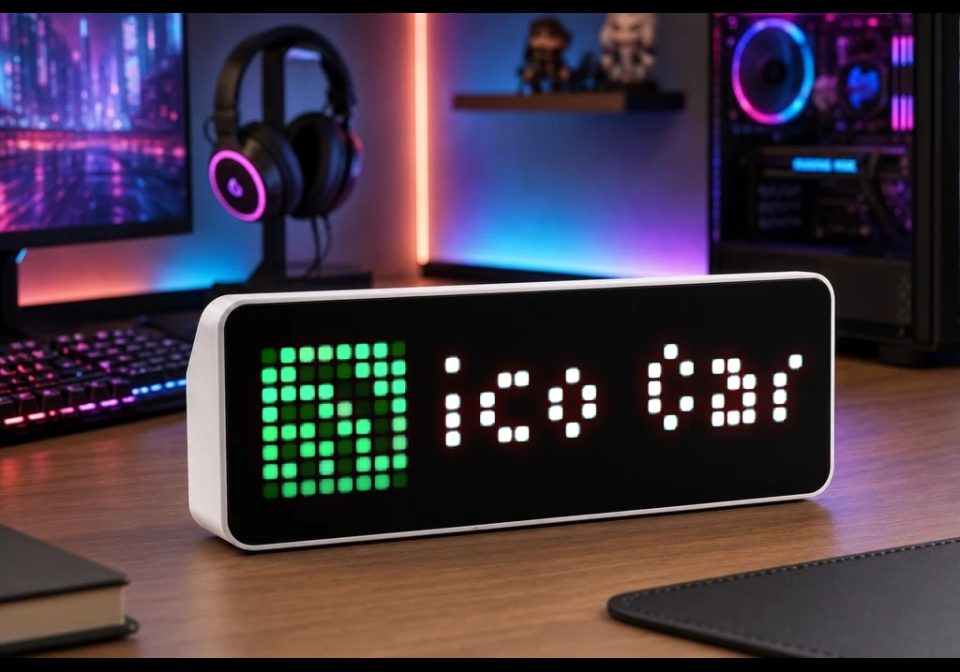
Spotify now playing (via Home Assistant))
Show current "artist - title" playing on Spotify
| System | AWTRIX NG Scripts |
|---|---|
| Firmware | AWTRIX NG |
| Topic | Smarthome |
| Built by | SentiQ |
| File | L7RQFN0Vptle.ax · 4.0 KB |
| Icons | — |
| Published | 7 Aug 2026 · updated 8 Aug 2026 |
| Downloads | 17 |
Paste the script as a new script and configure it under Apps (gear icon).
- HA URL: Your Home Assistant address with port, preferably the IP (e.g.
http://192.168.1.50:8123).*.localoften fails on the device. - Entity: Your Spotify media player entity (e.g.
media_player.spotify_yourname). - HA Token: Create a long-lived access token in HA → Profile → Security and paste it here.
- Icon ID: Go to Icons, add
18207(or any icon you prefer). If the icon is missing, the app still shows the text full-width. - Refresh / Scroll % (optional): How often to poll HA, and scroll speed for long titles.
The app only appears in the rotation while Spotify is playing, paused, or buffering; it is skipped when idle / off.
L7RQFN0Vptle.ax
# @name    Spotify
# @desc    Interpret - Titel via Home Assistant
# @version 1.9
# @config  ha_url text   "HA URL" default="http://homeassistant.local:8123"
# @config  entity text   "Entity" default="media_player.ENTITY"
# @config  token  text   "HA Token" maxlen=512 help="HA profile -> Security -> create token"
# @config  every  number "Refresh" default=15 min=5 max=120 unit=s
# @config  speed  number "Scroll %" default=70 min=30 max=150 unit=%
# @config  ic     text   "Icon ID" default="18207"

class Spotify
  var url, state_opts, media_opts, scroll_opts
  var label, active, ticks, in_flight, color, ic

  def init()
    var ha = store.get("ha_url")
    var entity = store.get("entity")
    self.url = ha + "/api/states/" + entity
    var hdrs = {"Authorization": "Bearer " + store.get("token")}
    self.state_opts = {"headers": hdrs, "find": "\"state\":", "keep": 48}
    self.media_opts = {"headers": hdrs, "find": "\"media_title\"", "keep": 256}
    self.scroll_opts = {
      "speed": store.get("speed"),
      "holdMs": 1000,
      "entry": "offscreen"
    }
    self.ic = store.get("ic")
    self.label = store.get("label")
    self.active = store.get("active") == true
    self.ticks = 0
    self.in_flight = false
    self.color = settings.get("textColor")
    if self.color == nil
      self.color = 0xFFFFFF
    end
  end

  def on_state(body, status)
    if body == nil
      self.in_flight = false
      log("Spotify: keine Antwort (status " + str(status) + ")")
      return
    end

    var sm = re.search("\"state\"\\s*:\\s*\"([^\"]+)\"", body)
    if sm == nil
      self.in_flight = false
      return
    end
    var st = sm[1]

    # Entity-State: playing | paused | idle | …
    if st == "playing" || st == "buffering"
      http.get(self.url, / b, s -> self.on_body(b, s), self.media_opts)
      return
    end

    self.active = false
    self.label = nil
    self.in_flight = false
    store.set("active", false)
    store.set("label", "")
  end

  def on_body(body, status)
    self.in_flight = false
    if body == nil return end

    var artist = nil
    var title = nil
    var tm = re.search("\"media_title\"\\s*:\\s*\"([^\"]*)\"", body)
    if tm != nil
      title = tm[1]
    end
    var am = re.search("\"media_artist\"\\s*:\\s*\"([^\"]*)\"", body)
    if am != nil
      artist = am[1]
    end

    var label = nil
    if artist != nil && artist != "" && title != nil && title != ""
      label = artist + " - " + title
    elif title != nil && title != ""
      label = title
    elif artist != nil && artist != ""
      label = artist
    end

    if label == nil
      self.active = false
      self.label = nil
      store.set("active", false)
      store.set("label", "")
      return
    end

    self.active = true
    self.label = label
    store.set("active", true)
    store.set("label", label)
  end

  def loop()
    if self.ticks <= 0
      self.ticks = store.get("every")
      if !self.in_flight
        self.in_flight = true
        http.get(self.url, / b, st -> self.on_state(b, st), self.state_opts)
      end
    end
    self.ticks -= 1
  end

  def should_show()
    return self.active && self.label != nil && self.label != ""
  end

  def duration()
    if self.label == nil || self.label == ""
      return 7000
    end
    var sp = store.get("speed")
    if sp == nil || sp < 1
      sp = 70
    end
    var px_s = (21 * sp) / 100
    if px_s < 1
      px_s = 1
    end
    var travel = text_width(self.label) + width()
    var ms = (travel * 1000) / px_s + 1500
    if ms < 10000
      ms = 10000
    end
    if ms > 60000
      ms = 60000
    end
    return ms
  end

  def draw()
    clear()
    var x = 0
    var w = width()
    if icon(self.ic, 0, 0)
      x = 9
      w = width() - 9
    end
    scroll_text(x, 6, w, self.label, self.color, self.scroll_opts)
  end

  def on_button(btn)
    if btn == "select"
      self.ticks = 0
    end
  end
end

return Spotify()
Install it on your AWTRIX NG
Your browser writes the script straight to the device on your network. It joins the app rotation right away.
Some browsers refuse to talk to a device on your network from a public page. Download the flow and paste it into the Scripts tab of your device, or install it from a terminal:
More flows for AWTRIX NG Scripts or Smarthome
Something wrong with this flow? Report it.